toucan
An infinite canvas in the browser that you edit by hand while agents edit it beside you.
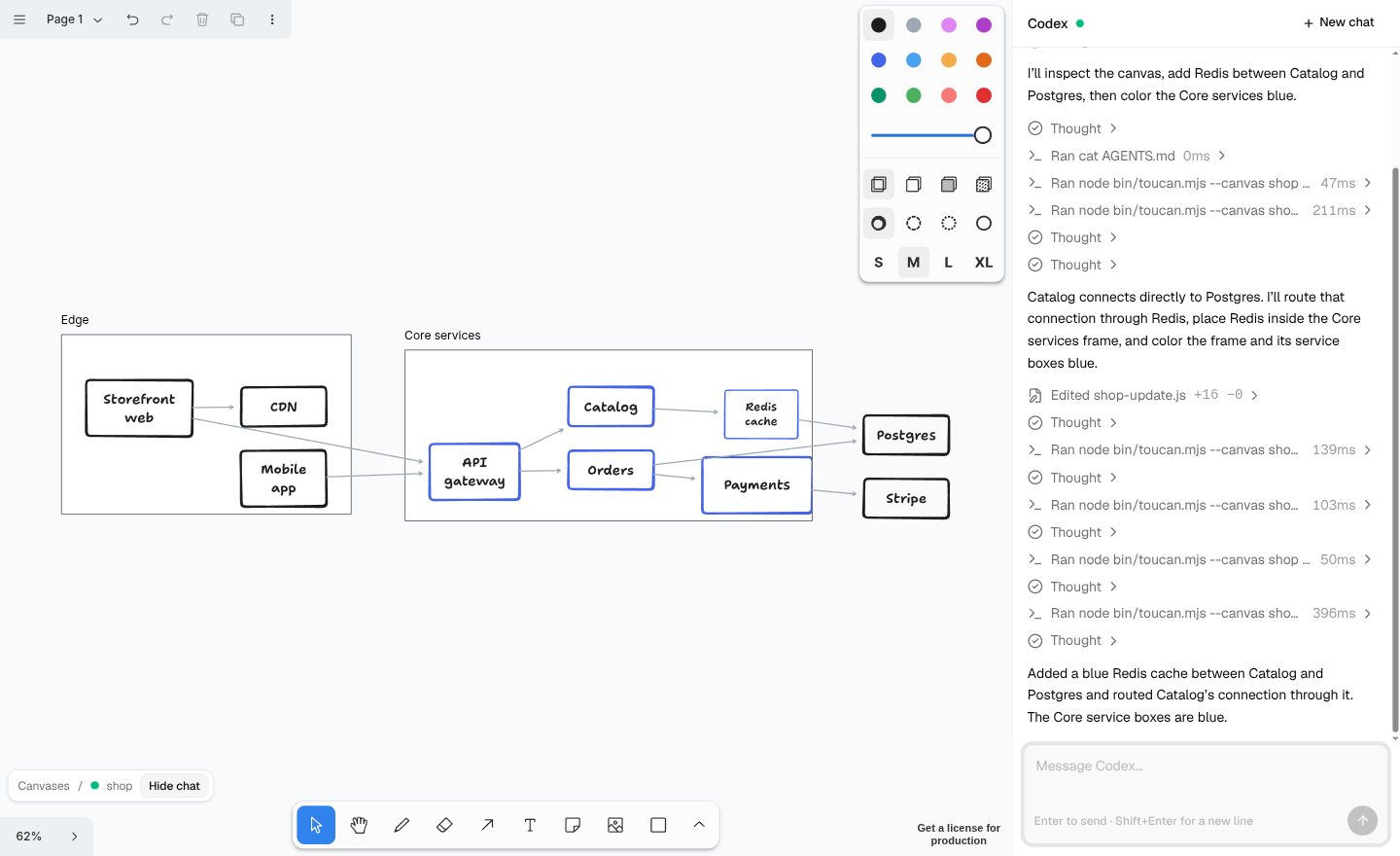
toucan puts a tldraw or Excalidraw canvas in a browser tab and gives agents a way in. A chat panel drives Codex on your own ChatGPT sign-in; any terminal agent (Claude Code, Codex, pi, …) uses the same toucan CLI. Both read the canvas, send JavaScript to the live editor, look at a screenshot, or merge a Mermaid, JSON Canvas or Excalidraw file in by key. You keep drawing the whole time, and every edit, yours or theirs, lands on one shared document.
Get started → · Source on GitHub ↗
What you can do with it
- Grow a diagram by talking to it. Ask the chat to add a service, regroup a cluster or draw the arrows between two systems. Then fix the layout by hand.
- Generate a canvas from your own data. A script reads your inventory, your dependency graph or your notes and upserts shapes by key. It reruns without disturbing what people moved or annotated.
- Give a canvas behaviour. Canvas scripts are small JavaScript functions stored with a canvas and run whenever it loads: a button, a live overlay, a reaction to edits.
- Move diagrams between tools. Export any canvas as JSON Canvas (Obsidian), Mermaid, DOT,
.excalidrawor toucan's own graph format, and import the first four back.
The shape of it
browser tab ── canvas + chat panel
   ▲ exec relay     ▲ chat relay
   │                │
toucan server (Node)
   ├─ sync room per canvas → data dir
   ├─ canvas scripts       → data dir
   └─ codex app-server (your sign-in)
         └─ runs `toucan …`

terminal agents ── `toucan …` (same path)
One small Node server holds a sync room per canvas, relays agent code into the most recently focused tab, and hosts the chat. Agents never hold a model API key for toucan: the chat runs inside Codex's own client on your sign-in, and terminal agents bring their own.
Where to go next
- Quick start: install, sign in, and make your first canvas.
- Agent guide: the CLI, the
toucan.*helpers, and the graph format agents work with. - How it works: sync, exec routing, the chat relay and the security model.
- Extending: extension commands, deployment notes, configuration and licences.