Quick start
An infinite canvas in the browser that you edit by hand while agents edit it beside you.
Install
You need Node 22 or newer. For the chat panel you also need the Codex CLI, signed in with codex login. Without it, the canvas and the CLI still work.
git clone https://github.com/lavallee/toucan
cd toucan
npm install
npm run build
npm start                    # listens on http://127.0.0.1:8893
Sign in
The server makes a token on first start and keeps it in ~/.config/toucan/server.json. Every request needs it. Print a sign-in link and open it once per browser; the browser keeps the token.
node bin/toucan.mjs urlPut the CLI on your PATH so agents can call it as toucan:
ln -s "$PWD/bin/toucan.mjs" ~/.local/bin/toucanMake a canvas
From the index page at /, or from a terminal:
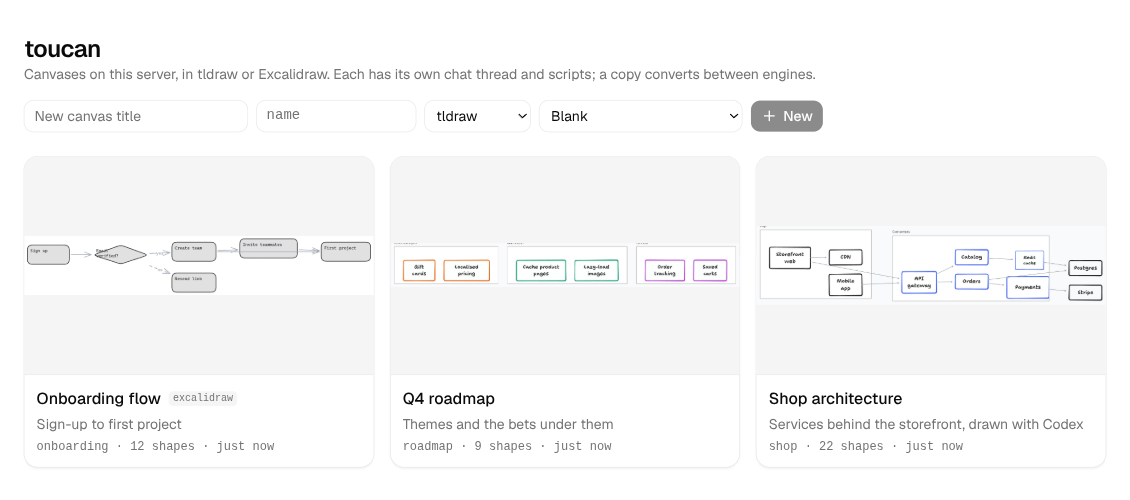
toucan new sketch --title "Sketch"                   # a tldraw canvas
toucan new board --engine excalidraw --title "Board" # an Excalidraw one
Open the link it prints. With the tab open, an agent can work on it:
toucan --canvas sketch exec -e 'toucan.node("api", { x: 0, y: 0, text: "API" }); toucan.node("db", { x: 300, y: 0, text: "Database" }); toucan.edge("api", "db"); return toucan.summary()'
toucan --canvas sketch screenshot
Or describe what you want and import it:
cat > plan.mmd <<'MMD'
graph LR
  subgraph web [Web tier]
    ui[Browser UI] --> cdn[CDN]
  end
  ui --> api
  api --> cache[(Redis)]
MMD
toucan --canvas sketch import plan.mmd
Existing shapes keep their positions; new ones are laid out beside them.
Point your agent at it
AGENTS.md in the repo is the guide every agent works from. Claude Code and Codex pick it up when they run in the checkout; elsewhere, tell your agent to read it. The agent guide covers the same ground.
Serve it beyond your machine
The server listens on loopback by default. To reach it from other machines on a network you trust:
TOUCAN_PUBLIC_HOST=myhost npm start -- --host 0.0.0.0Over plain http://, tldraw runs in development mode. Behind HTTPS it needs a licence key; see licences.