Explore
An infinite canvas in the browser that you edit by hand while agents edit it beside you.
There's no public toucan server to try, since it's built for your own machine or a trusted network. These are the next best thing: real canvases, copied out of toucan so you can move around them in your browser. Nothing is installed and nothing is sent anywhere.
Each one opens full-page. Drag to move, scroll to zoom, and select a box to read what's behind it. ← and → walk along the canvas the way that canvas's format says to.
You're looking at a static copy, so you can't edit it, comment on it or ask an agent to change it. See it work shows those.
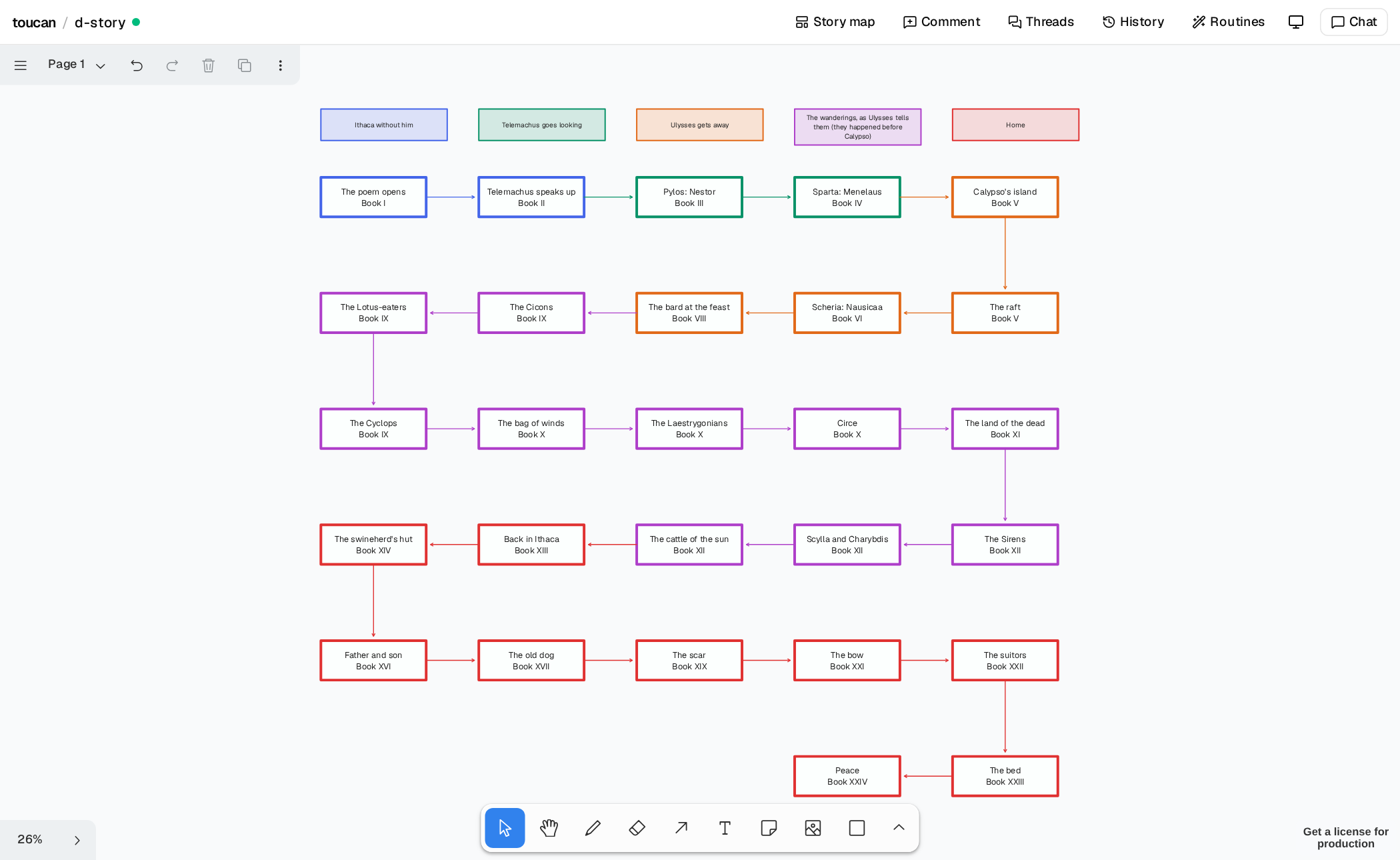
The Odyssey: a story map
One path through the poem, book by book. A box holds a name and the quotation is a click away, so the whole story fits on one screen. ← and → follow the arrows.
Meditations: a map of ideas
Marcus Aurelius's notes, grouped by theme. Here a frame is an idea and a gap means something, so nothing gets filled in or joined up. ← and → move along a theme.
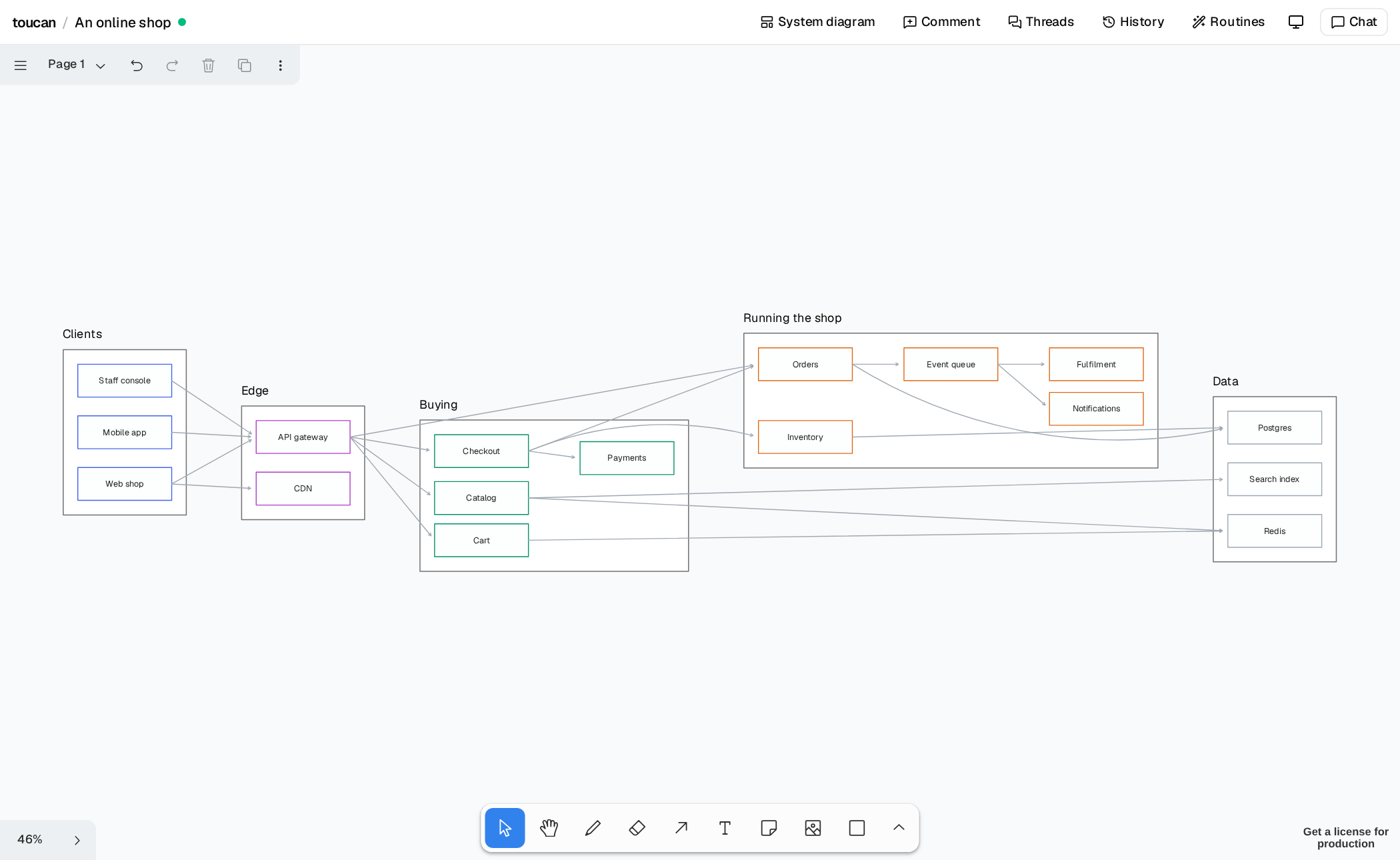
An online shop: a system diagram
Seventeen parts and the connections between them, each with a line on what it does. It was drawn by toucan draw and tidied by the Clean up routine. In the app, zooming out swaps this for its frames and how many connections run between them.
How these are made
scripts/build-docs.mjs opens each canvas in toucan, exports it with tldraw's own SVG export, and asks toucan what its details card would show for every box. So the walking here follows the same rules as the app. The two books are in examples/, and you can load them yourself:
toucan new odyssey --from examples/odyssey.tg.json --canvas-format story --title "The Odyssey"